













Multi Risk Manager Pro for MT4 | MQLEXP
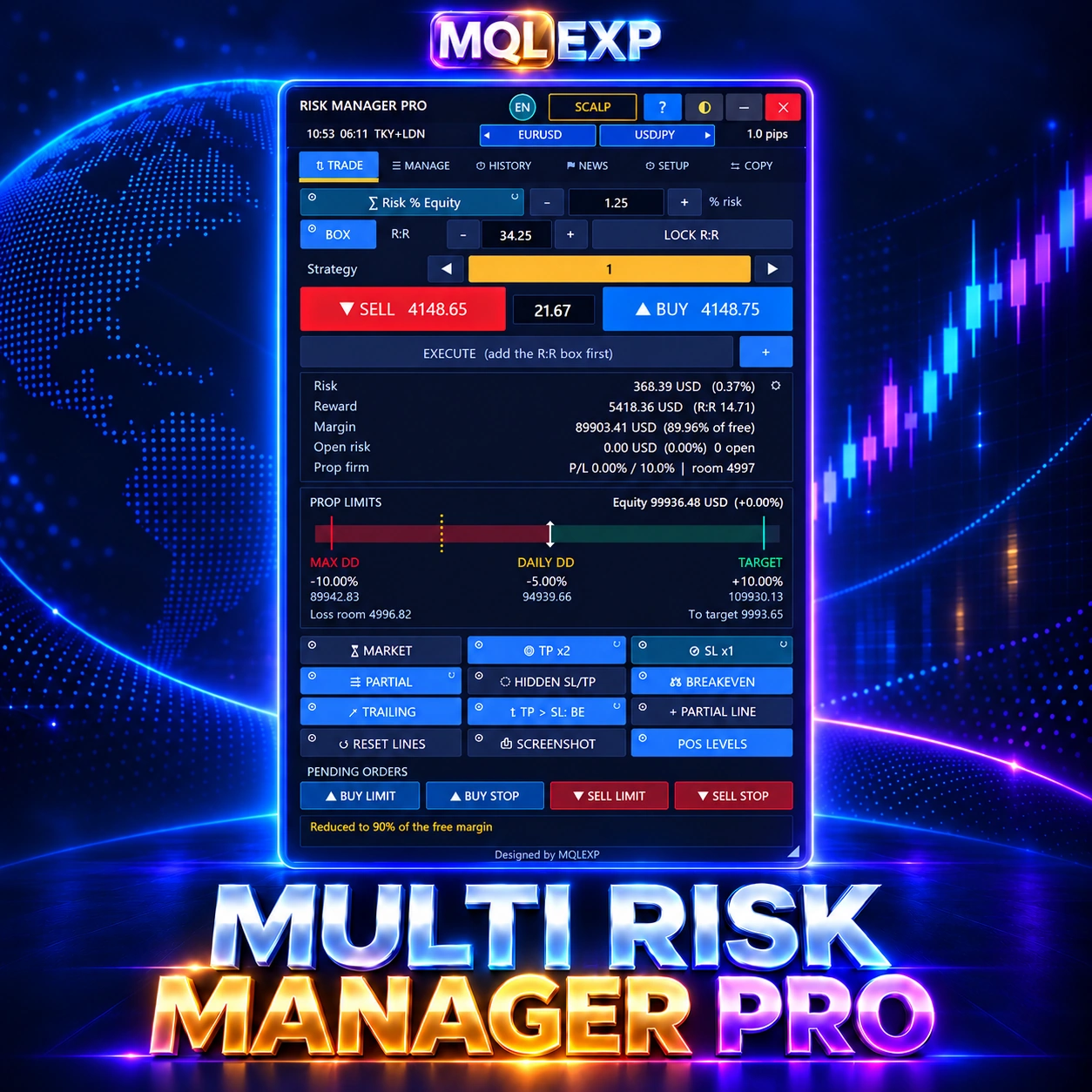
Multi Risk Manager Pro for MT4 is an MT4 risk manager and trade-management panel for planning position size, placing orders and controlling exits from one workspace.
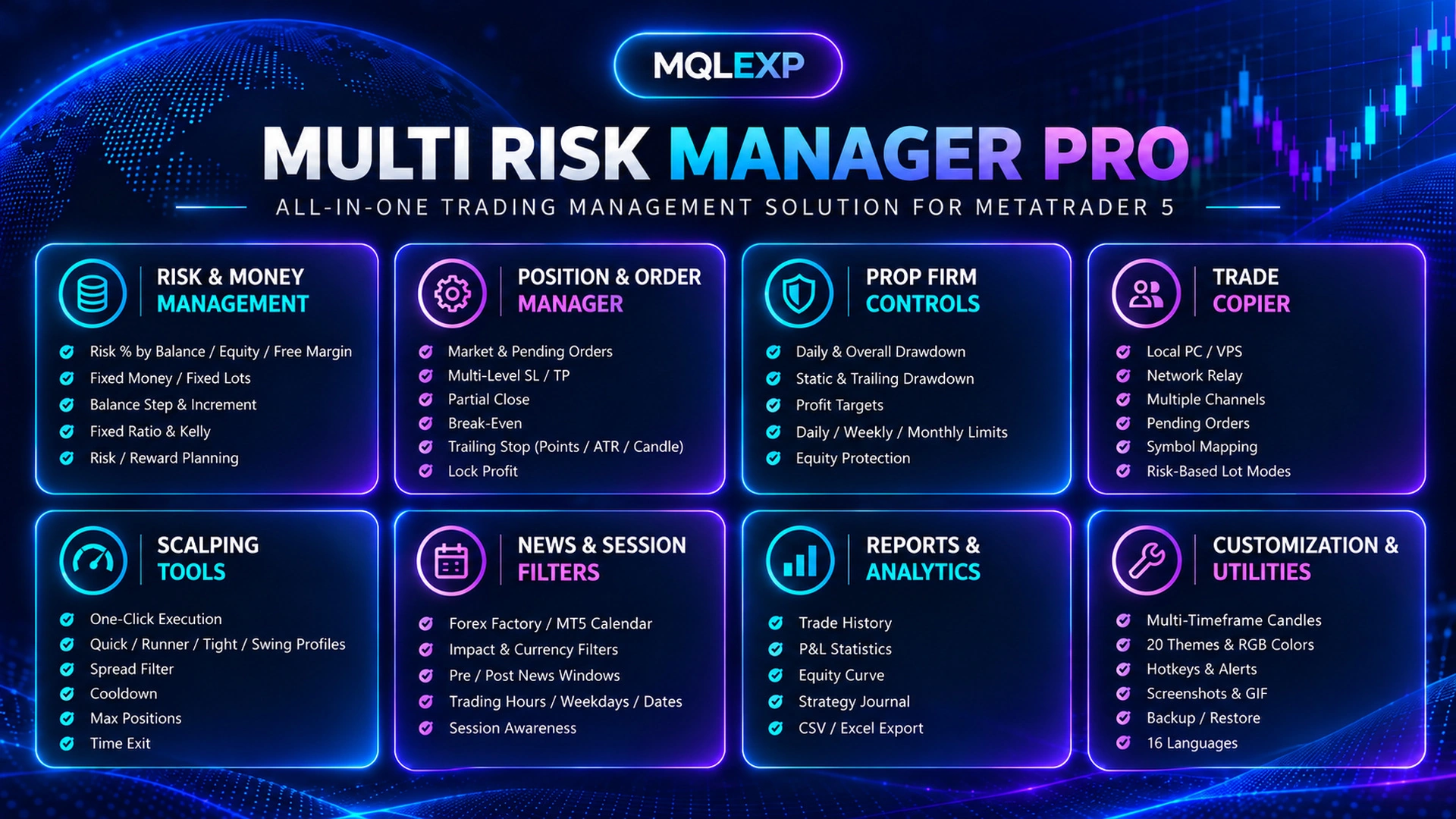
- 8 lot-sizing methods and a visual risk-to-reward box
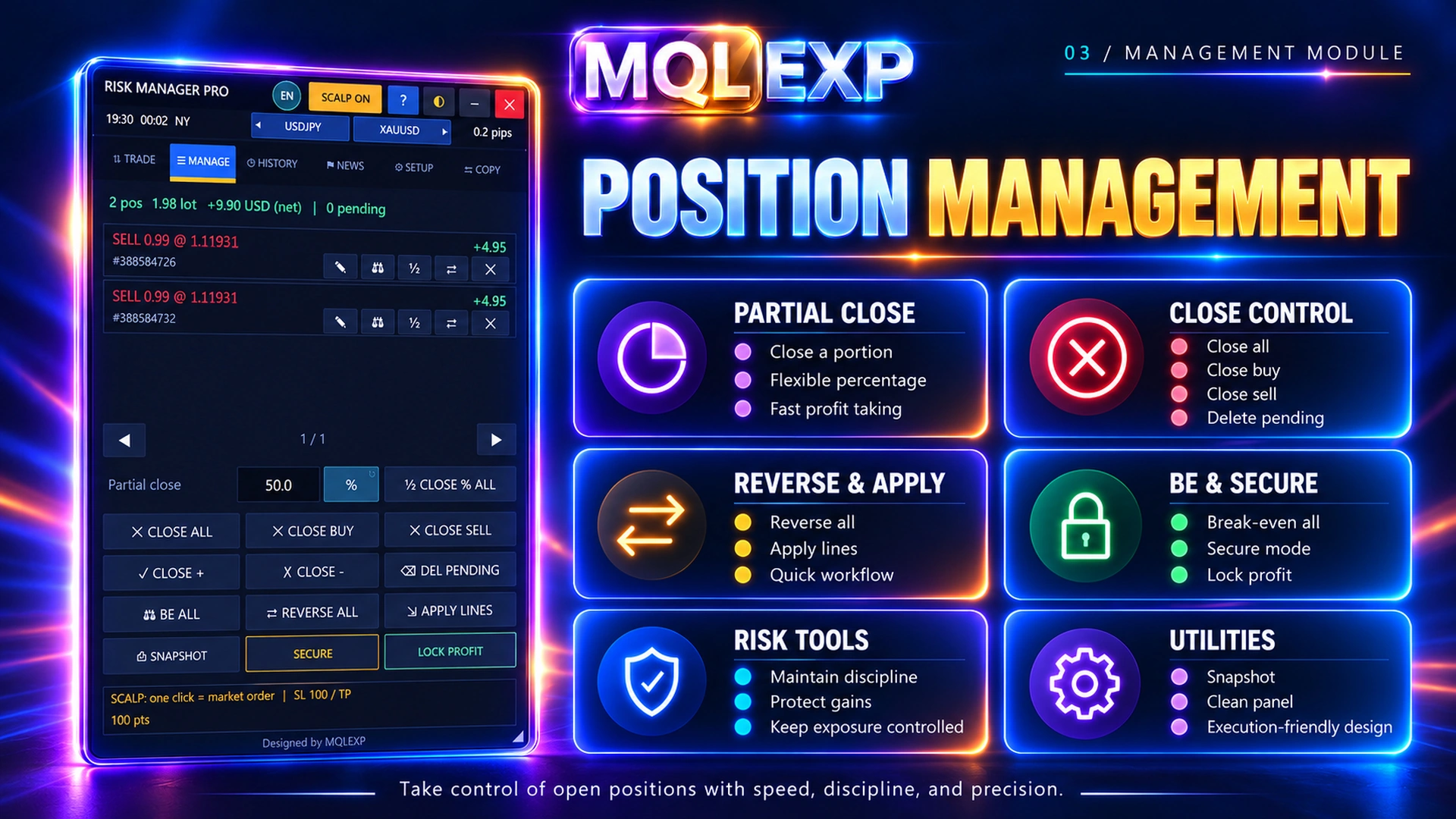
- Partial closes, break-even and flexible trailing stops
- Drawdown limits, prop-firm controls and scalping tools
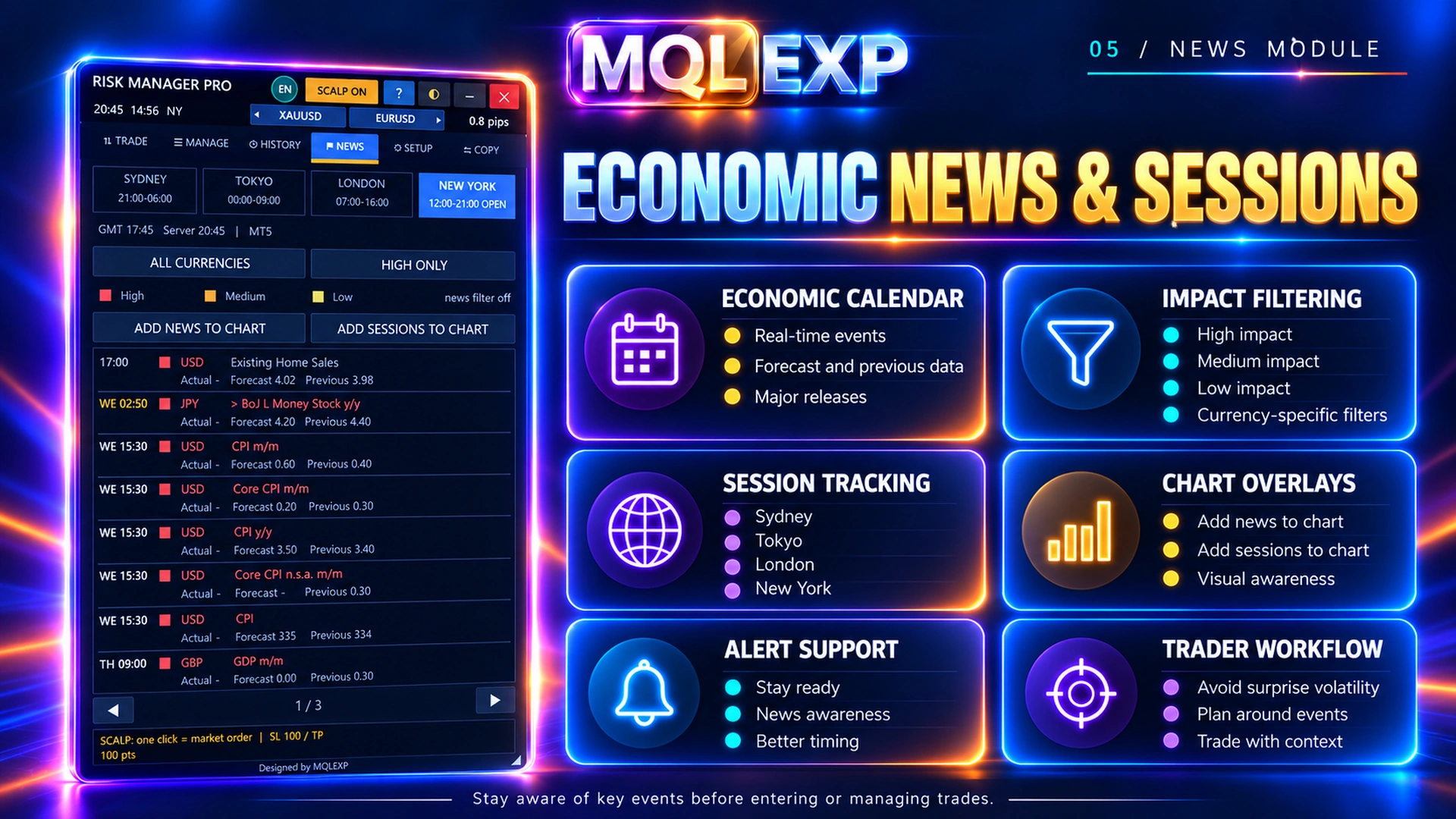
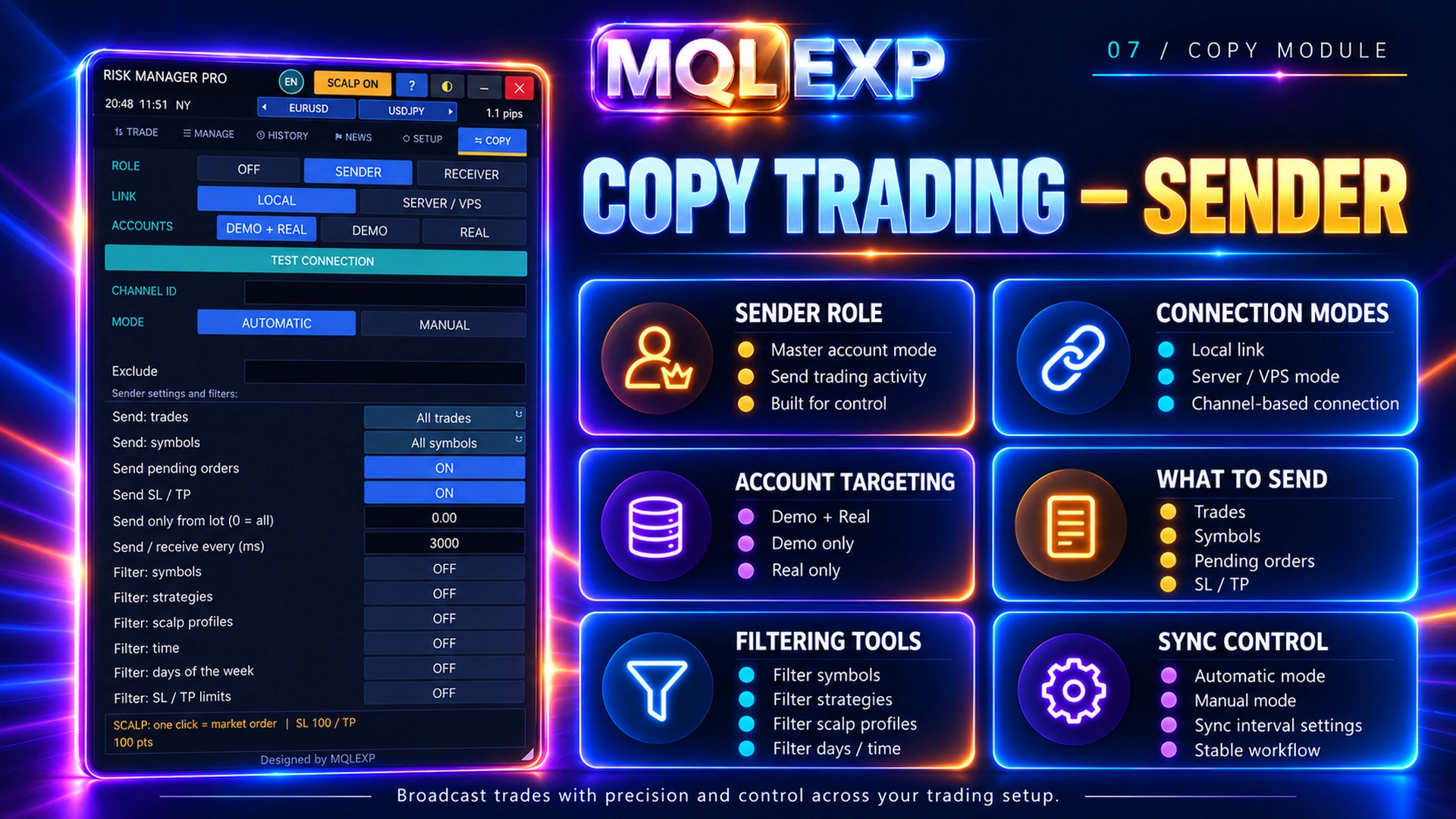
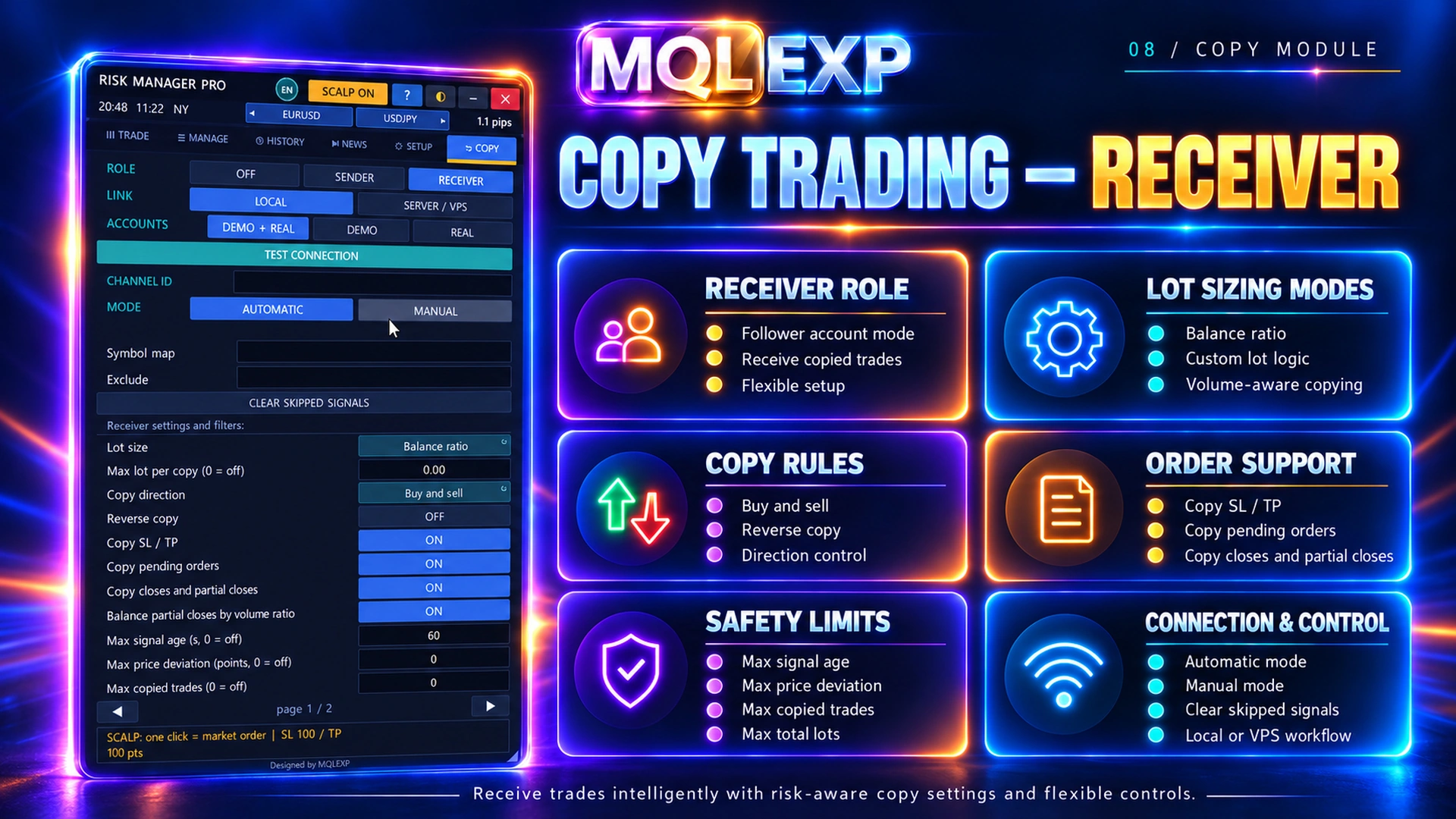
- Local/network trade copying, history and news tools
MetaTrader 4 edition. Purchase and test options are available on MQL5 Market. Explore the full feature tour.
$99.00
Resources & Support
Telegram Support
Official product support on Telegram
YouTube Tutorials
Setup guides & product walkthroughs
MQL5 Market
Explore our official MQL5 store
Why Choose MQLEXP Tools
Official Product Access
Download and activation through each product’s listed official sales channel.
Purpose-Built Trading Tools
Developed for practical MetaTrader workflows, with clear product specifications.
Platform-Specific Products
Check the MT4 or MT5 compatibility stated on each product page.
Guides & Updates
Product documentation, setup instructions and release information.
MT4 Risk Manager for Planning, Execution and Trade Control
Multi Risk Manager Pro for MT4 brings lot-size calculation, order execution, position management and trade copying into one MetaTrader 4 panel. Plan your risk before entering, manage exits as the trade develops, and review your trading activity without switching between separate utilities.
Built by MQLEXP, this MT4 risk manager is for traders who want hands-on control over their workflow. It is a management tool, not a promise of profitable trades.
Want a closer look? Explore the full Multi Risk Manager Pro feature tour. That overview currently shows MT5 examples; this purchase page and its buy button are specifically for MT4.
What You Can Do from One Panel
Calculate lot size before placing an order
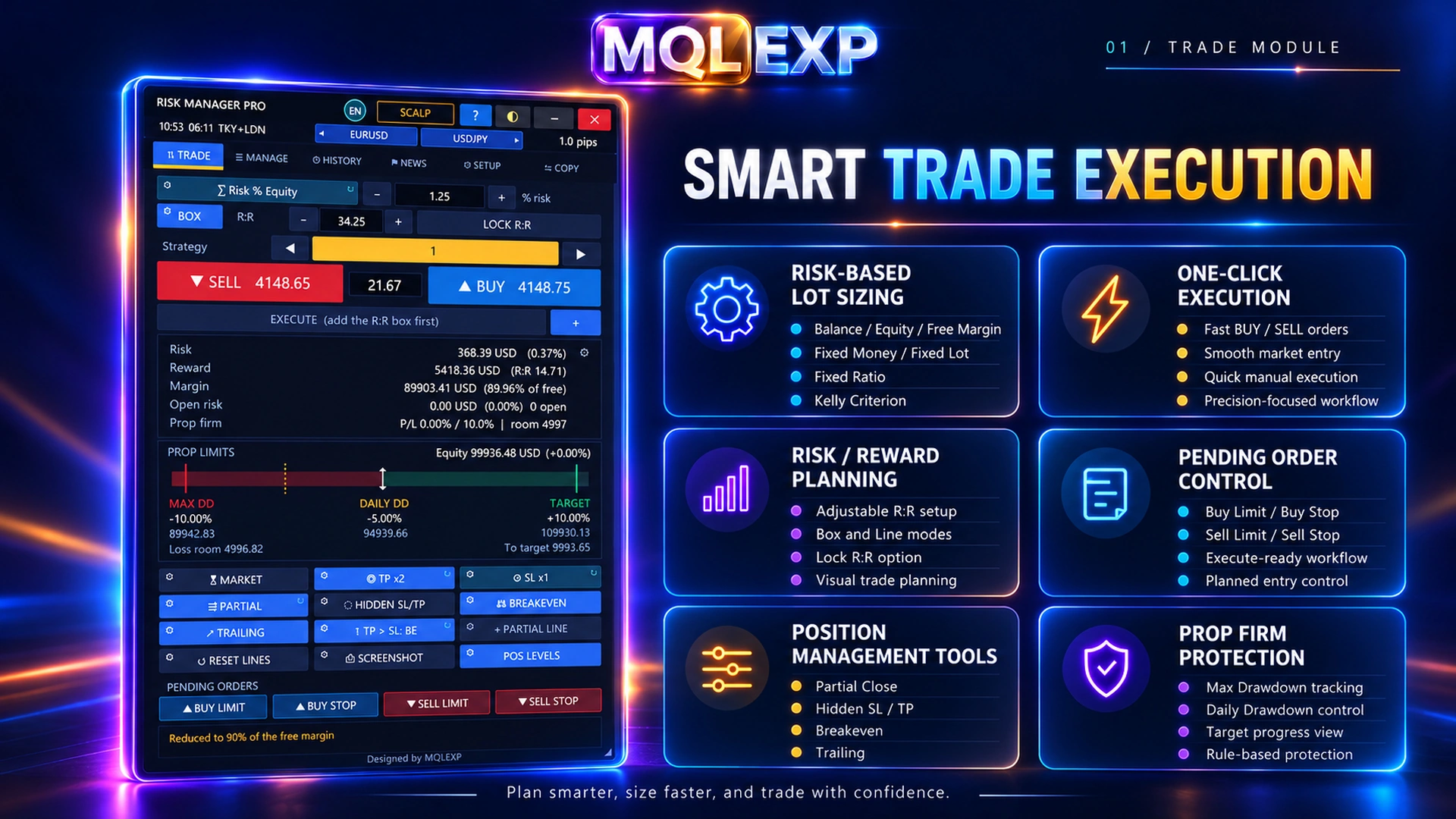
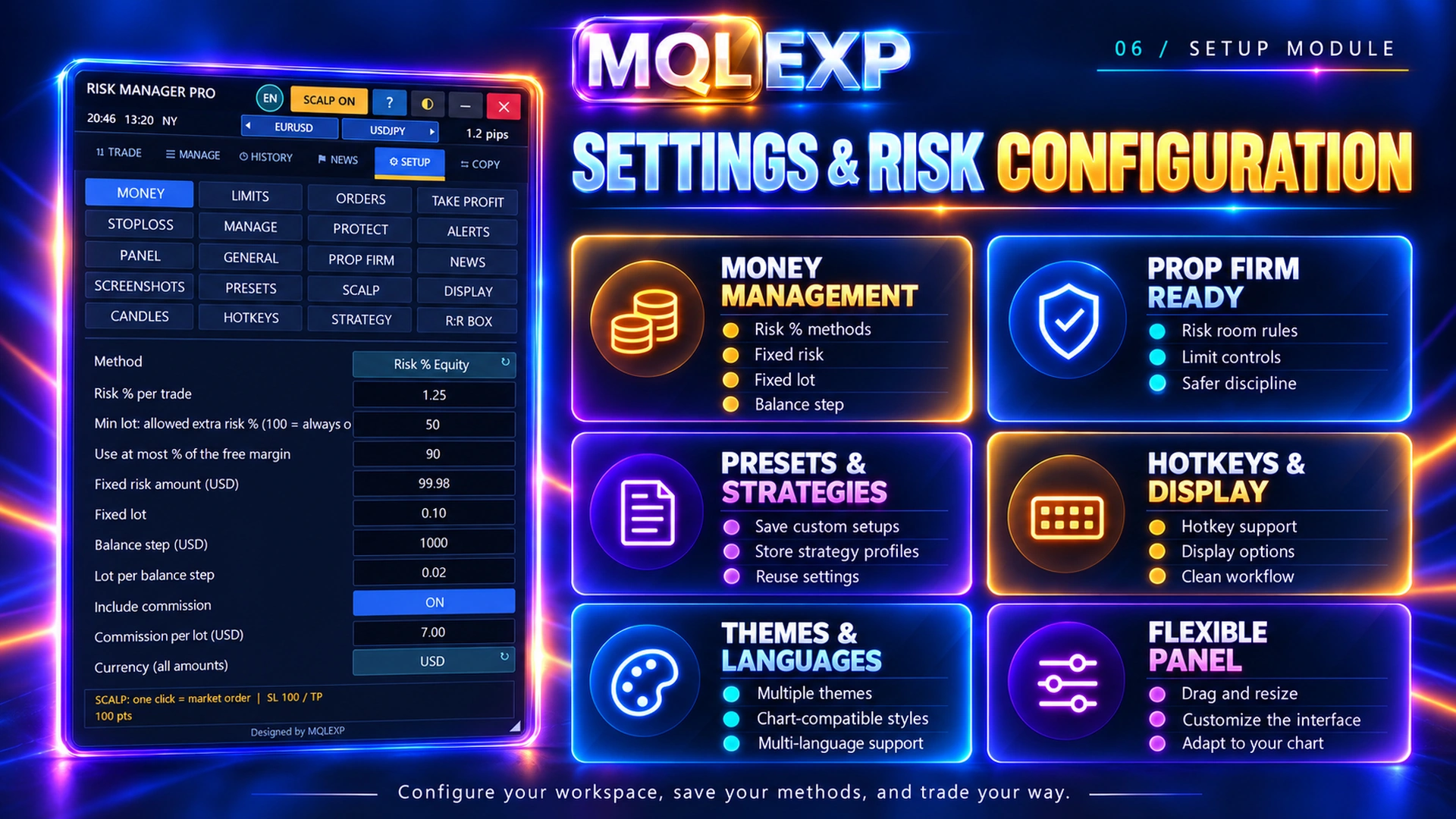
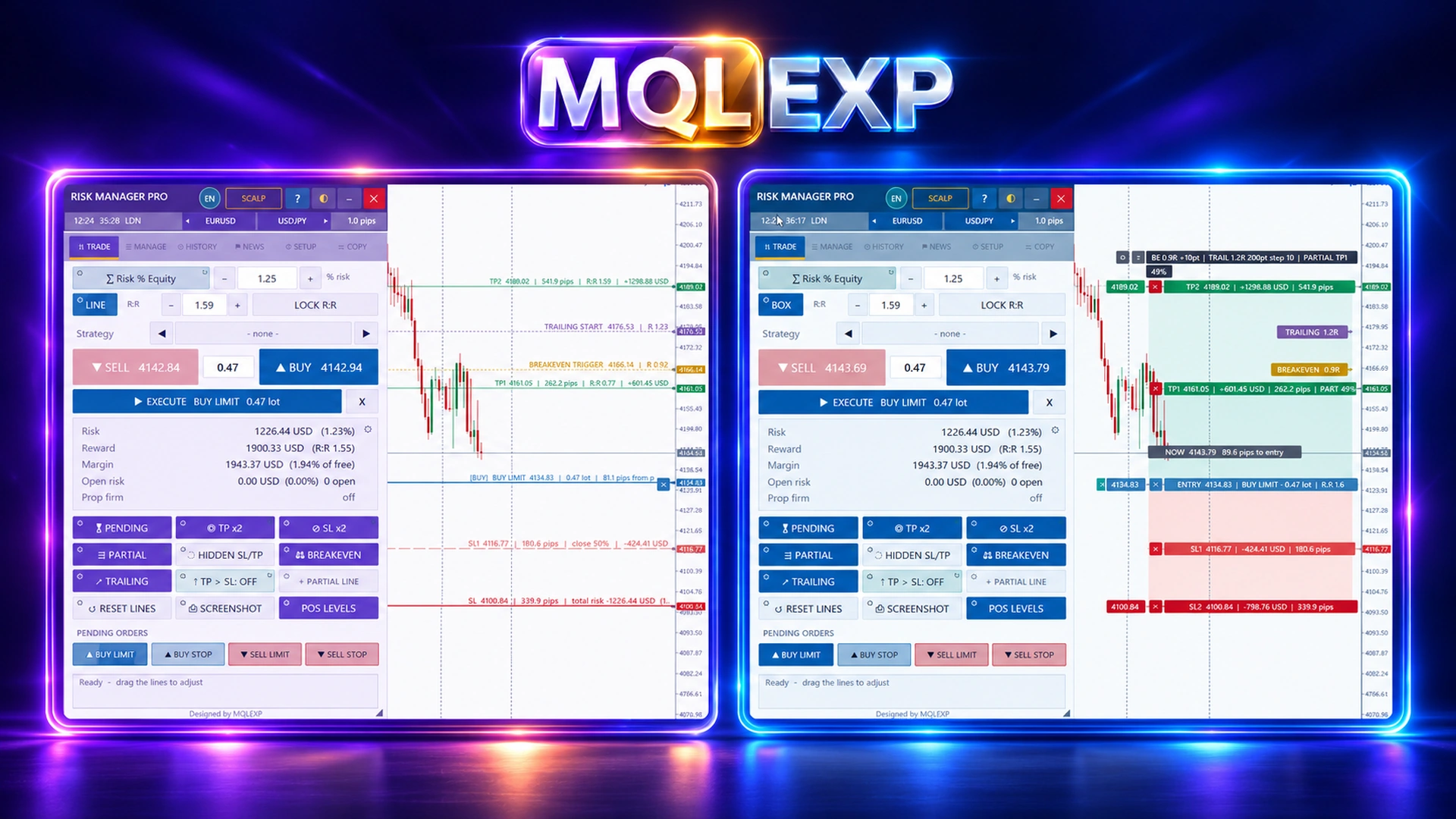
Use eight money-management methods: risk percentage based on balance, equity or free margin; fixed cash risk; fixed lots; balance increments; Fixed Ratio; and Kelly Criterion. The visual risk-to-reward box helps you see the planned entry, stop and target together.
Place and manage trades with fewer steps
Open market or pending orders, adjust Stop Loss and Take Profit, close part of a trade, or move protection to break-even. Point-based, ATR-based and candle-based trailing stops give you different ways to manage an exit. Basket exits and staged management are available for the trades covered by your settings.
Keep scalping controls within reach
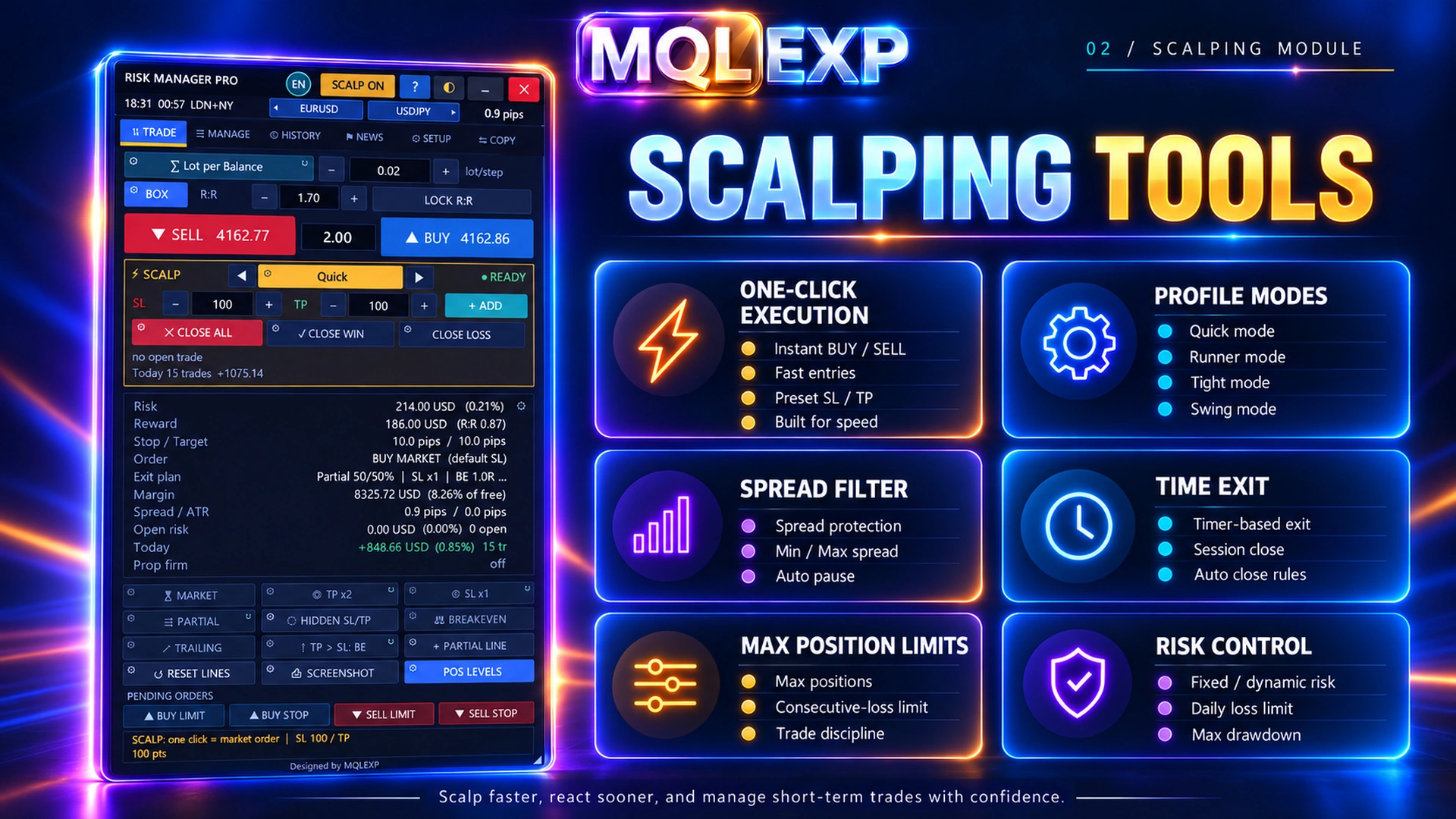
The scalping tools bring quick execution, spread filters, position limits and exit controls into a focused workflow. Set up your preferred profile before the session so that speed does not replace a deliberate risk decision.
Set account limits for your trading plan
Configure daily and overall drawdown thresholds, profit targets, trading restrictions and eligible closing actions. These prop-firm risk controls help you follow a defined plan, but each firm’s rules and reset time still need to be checked individually.
Connect sender and receiver accounts
The trade copier supports local terminal connections and network copying through a relay server. Choose sender or receiver roles, channel IDs, lot-sizing options and copying filters. Test symbol mapping, order changes and closures before relying on a multi-account setup.
Review activity and organize your workspace
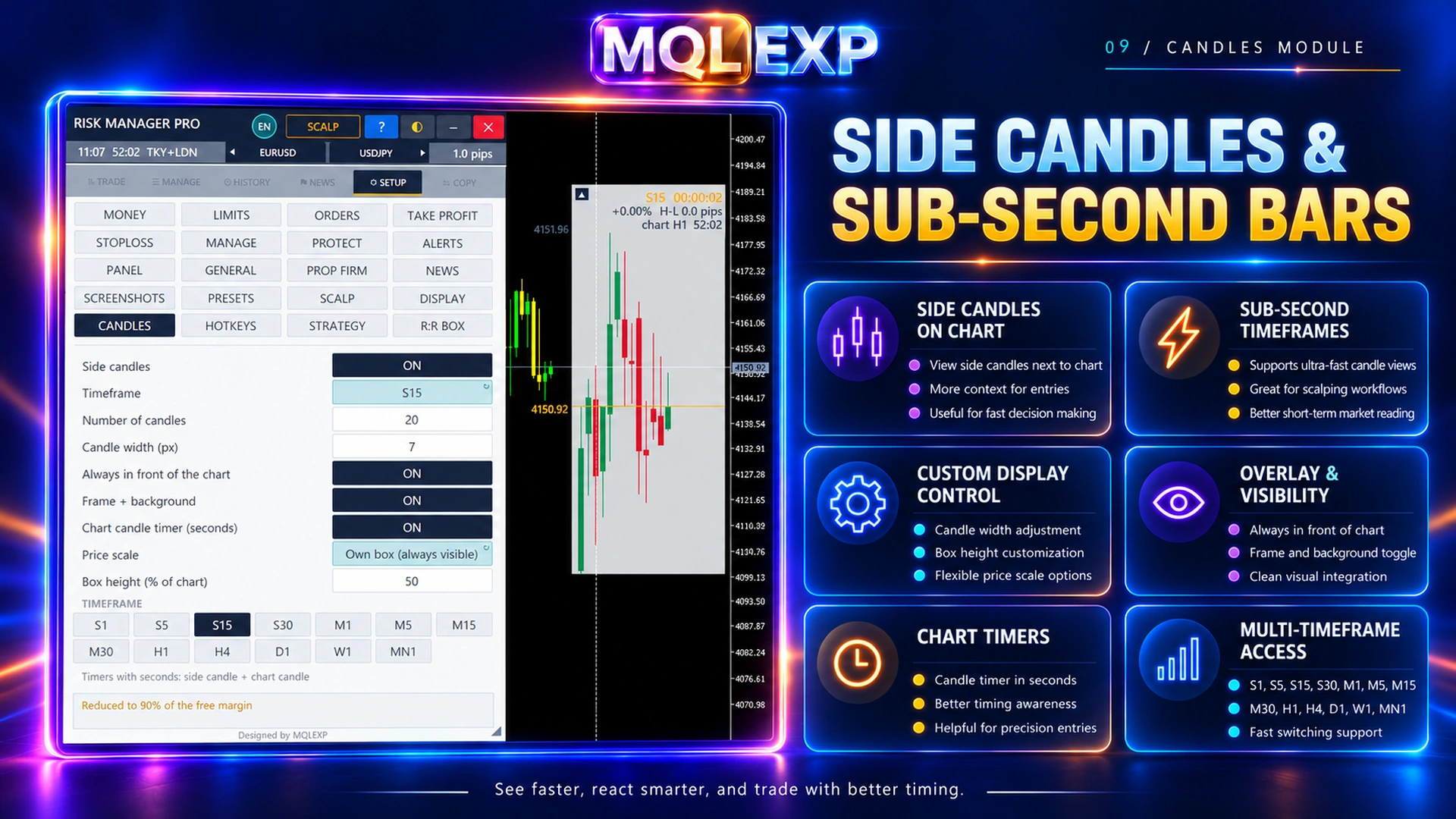
History and reporting tools help you review trades and performance. News and session views, side candles, themes, hotkeys and saved settings keep the information you use close to the trading controls. External calendars, notifications and network features require their own setup.
Start with a Simple Workflow
- Choose the correct edition. This listing is for the MetaTrader 4 desktop terminal. If you use MT5, open the official MT5 listing.
- Set your risk method. Select your sizing method and check the calculated volume against your broker’s contract and lot-size rules.
- Test the functions you need. Start with trade planning and exits, then configure account protection, news filters or copying as required.
- Keep protection operational. Hidden stops and EA-managed actions require an active terminal, running EA and working connections.
Step-by-Step Product Guides
Use these official MQLEXP articles on MQL5 when you need detailed settings and examples:
- Product overview and getting started
- Eight money-management methods
- Planning trades with the risk-to-reward box
- Placing market and pending orders
- Stop Loss, Take Profit and partial exits
- Break-even, trailing stop and profit protection
- Daily drawdown, equity limits and profit targets
Buy or Test Multi Risk Manager Pro for MT4
Listed price: USD 99. Purchase and activation are handled through the official MQL5 Market listing. Check the current price and available demo options there before buying.
Need help choosing settings? Contact MQLEXP support with your terminal version, broker symbol and a screenshot of the relevant panel.
Frequently Asked Questions
Is Multi Risk Manager Pro an automated trading strategy?
It is a trade-management and execution utility. You choose your trading approach; the panel helps calculate position size, place and manage orders, and apply configured risk controls.
Is this the MT4 or MT5 edition?
This product is the MetaTrader 4 edition. MetaTrader 5 users should choose the separate MT5 listing on MQL5 Market.
Can I evaluate it before buying?
Use the official MQL5 listing to check the available demo and testing options. Market demos run in Strategy Tester; external services and live trade-copying workflows need separate verification in a supported environment.
Does it guarantee compliance with prop-firm rules?
No. Configure limits against your firm’s drawdown calculation, reset time and trading restrictions. Slippage, gaps, connectivity and feature scope can affect the result.
Does the terminal need to stay open?
Yes, for EA-managed functions such as hidden stops, trailing logic and trade copying. Keep the terminal, EA and required connections operational; a configured VPS can help maintain uptime.
Compatibility and Risk Notes
Broker support, account restrictions and the selected trade scope affect what the panel can manage. Planned risk can differ from realized loss because of gaps, slippage or connection problems. Risk controls cannot eliminate trading losses or guarantee returns. Check each function in an appropriate testing environment before using it on a live account.
Technical Specifications
| Platform |
MetaTrader 4 |
|---|---|
| Product Type |
Trade management and risk-control Expert Advisor |
| Position Sizing |
8 methods: balance risk, equity risk, free-margin risk, fixed cash, fixed lot, balance increments, Fixed Ratio, Kelly |
| Trade Planning |
Visual risk-to-reward box |
| Orders |
Market and pending orders; broker-dependent availability |
| Exit Management |
Stop Loss, Take Profit, partial close, break-even, basket exits |
| Trailing Stop |
Points, ATR and candle-based |
| Account Protection |
Daily and overall drawdown, profit targets and trading restrictions |
| Trade Copier |
Local and network relay; sender and receiver modes |
| Scalping Tools |
Quick execution, spread filters, profiles and position limits |
| History and Reporting |
Trade history, performance analytics and exports |
| News and Sessions |
Economic calendar, filters and session information |
| Interface |
Themes, hotkeys, side candles and saved settings |
| Operational Requirements |
Active terminal and EA for hidden stops and EA-managed protection |
| Version |
1.0 |
Customer Reviews
Read customer feedback and share your own experience with this product. Reviews help other traders make informed choices.
نقد و بررسیها
هنوز بررسیای ثبت نشده است.